To run windows containers in docker within AWS, launch an EC2with an Windows_Server-2022-English-Core-ContainersLatest-2022.11.10

Make sure to give it plenty of cpu and ram resources so it can peform well.
This will launch an Windows ec2 instance with docker container support.
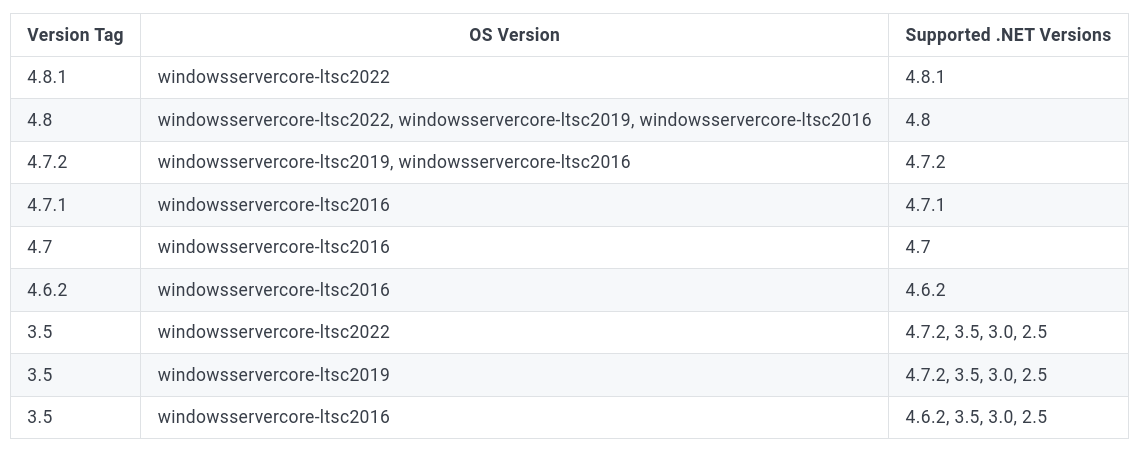
The dotnet framework docker versions: https://hub.docker.com/_/microsoft-dotnet-framework-runtime/
Blog on configuring dotnet build with codebuild and docker: https://aws.amazon.com/blogs/devops/extending-aws-codebuild-with-custom-build-environments-for-the-net-framework/
Article found with demo of how to use docker CLI in Windows docker setup: https://web.archive.org/web/20220120042518/https://www.docker.com/blog/build-your-first-docker-windows-server-container/
Oneliner google chrome silent installer powershell: https://www.snel.com/support/install-chrome-in-windows-server/
Command to switch from windows container <> linux containers: (This method Didin’t work for the mirantis) https://forums.docker.com/t/cli-to-switch-between-linux-and-windows-images/30297
Extensive article on using docker within WSL (useful for linux containers): https://dev.to/_nicolas_louis_/how-to-run-docker-on-windows-without-docker-desktop-hik
Docker containers for windows on aws codepipeline
Limitations: (????)
-
AWS CodeBuild executes Windows Server containers using Windows Server 2016 hosts, which means that build containers are huge—it is not uncommon to have an image size of 15 GB or more (with .NET Framework SDK installed). Windows Server 2019 containers, which are almost half as small, cannot be used due to host-container mismatch. (???)
-
AWS CodeBuild runs build jobs inside Docker containers. You should enable privileged mode in order to build and publish Linux Docker images as part of your build job. However, DIND is not supported on Windows and, therefore, AWS CodeBuild cannot be used to build Windows Server container images. (???)
The last point is the critical one for microservice type of applications based on Microsoft stacks (.NET Framework, Web API, IIS). The usual workflow for this kind of applications is to build a Docker image, push it to ECR and update ECS / EKS cluster deployment.
Custom AWS codebuild with ephemeral windows container envs:
https://github.com/aws-samples/aws-codepipeline-custom-action
ALT:
Windows containers:
More on what windows containers are: https://learn.microsoft.com/en-us/virtualization/windowscontainers/about/
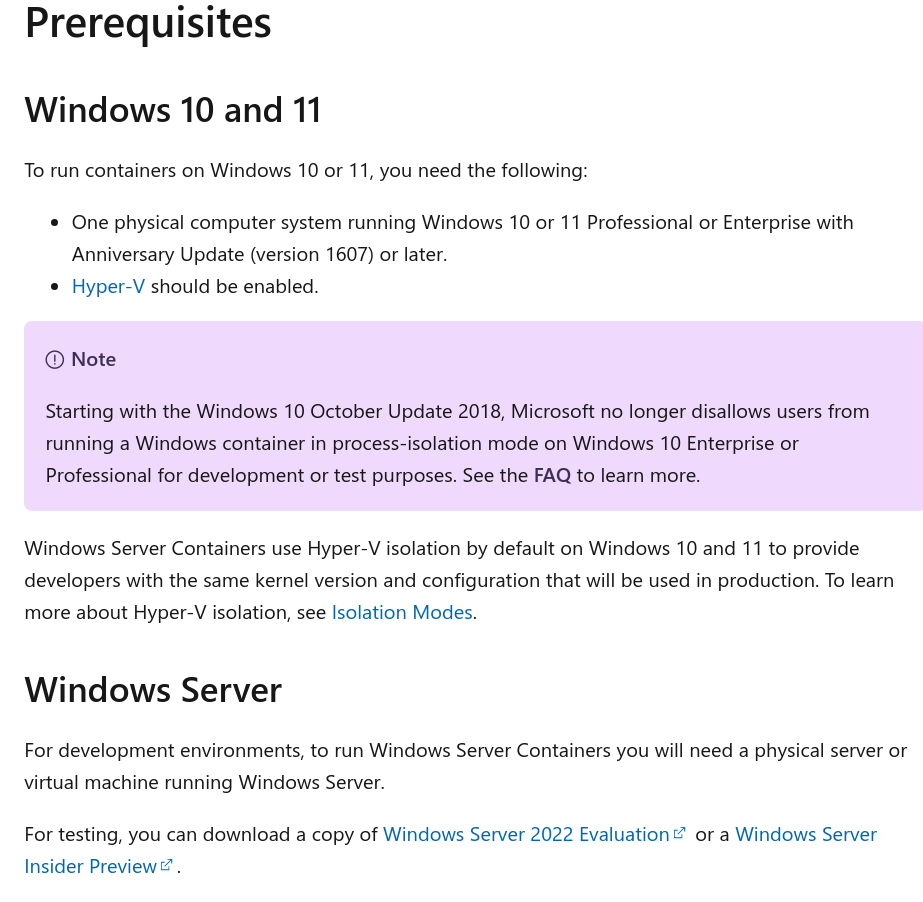
Preparing windows for containers:
https://learn.microsoft.com/en-us/virtualization/windowscontainers/quick-start/set-up-environment?tabs=containerd
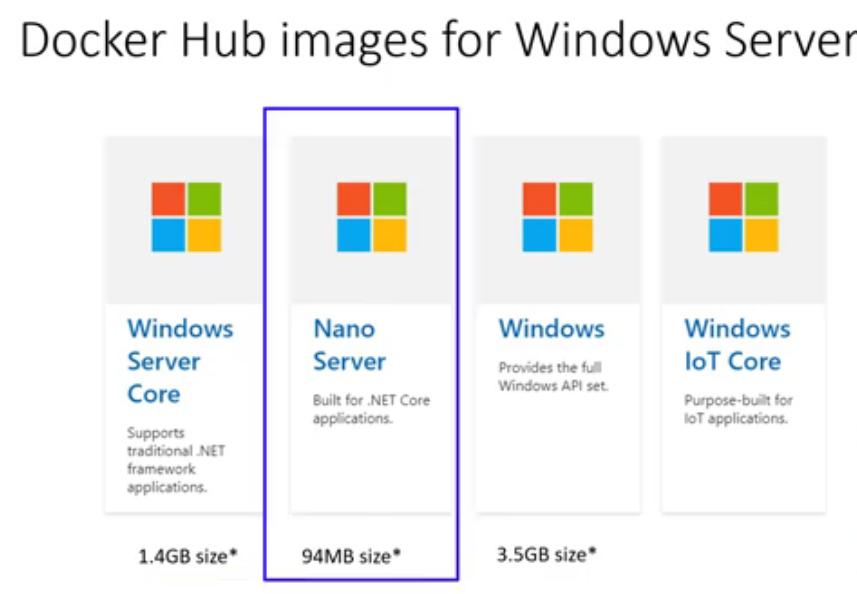 https://hub.docker.com/_/microsoft-dotnet-framework-runtime/
windows vs linux container service
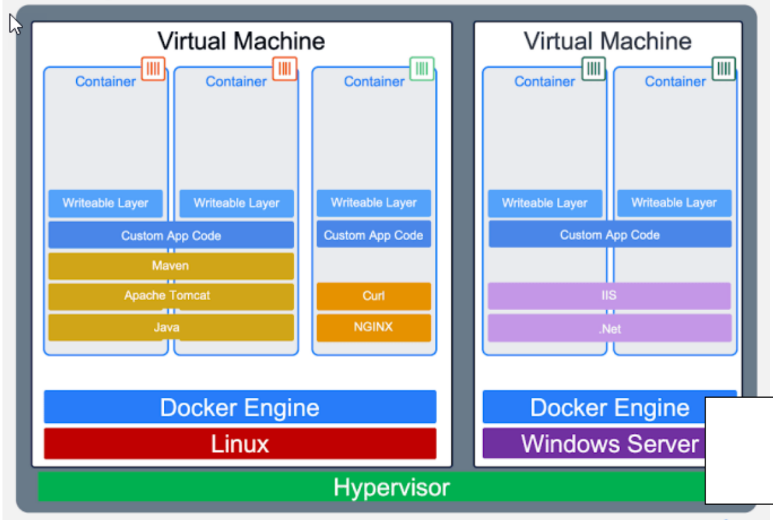
https://www.youtube.com/watch?v=RjwzADNGUUg
https://drive.google.com/file/d/1KK56yO8XTgSZ7jTjstz1ZAFCM2a2co-0/view