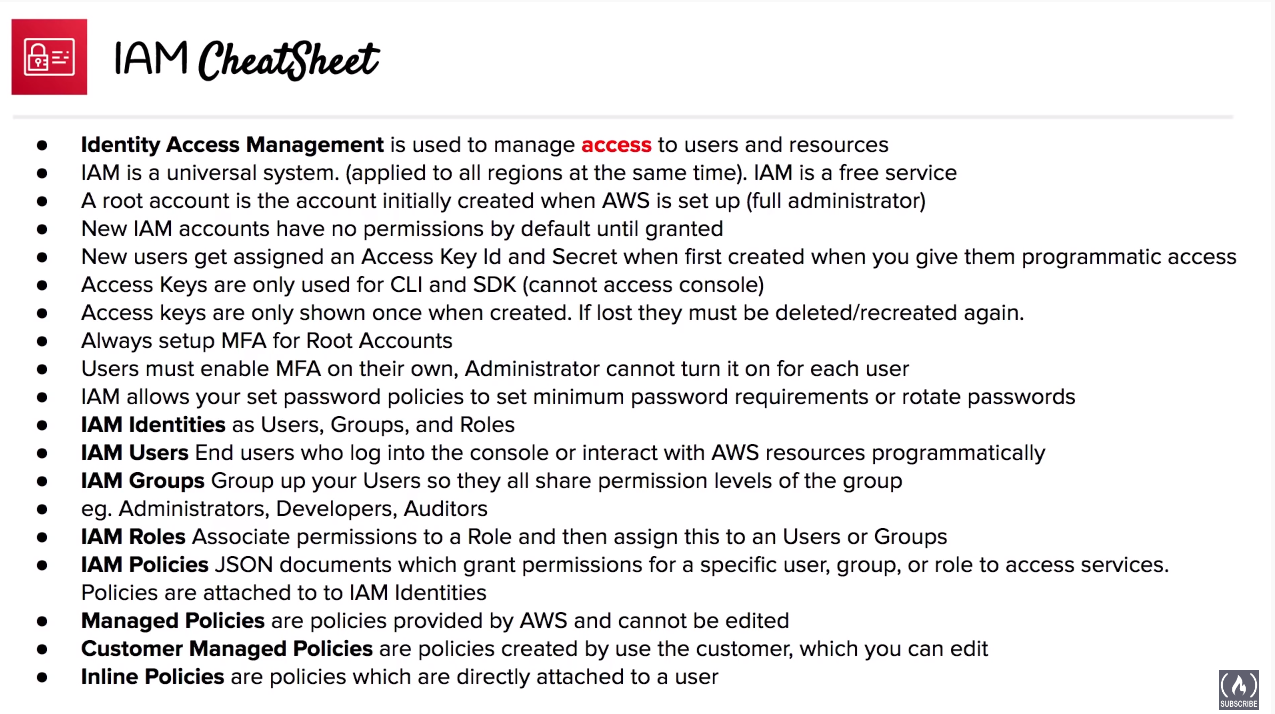
Identity based management solution by AWS
IAM allows management of access of users and resources. Apply Least Privilages when designing policies.
Users
- End users who access AWS resources via the console or the API
Groups
- Group of users with shared permission levels which will be common for all of the users.
Roles
Associate permissions to a Role and then assign this to an Usersor Groups.
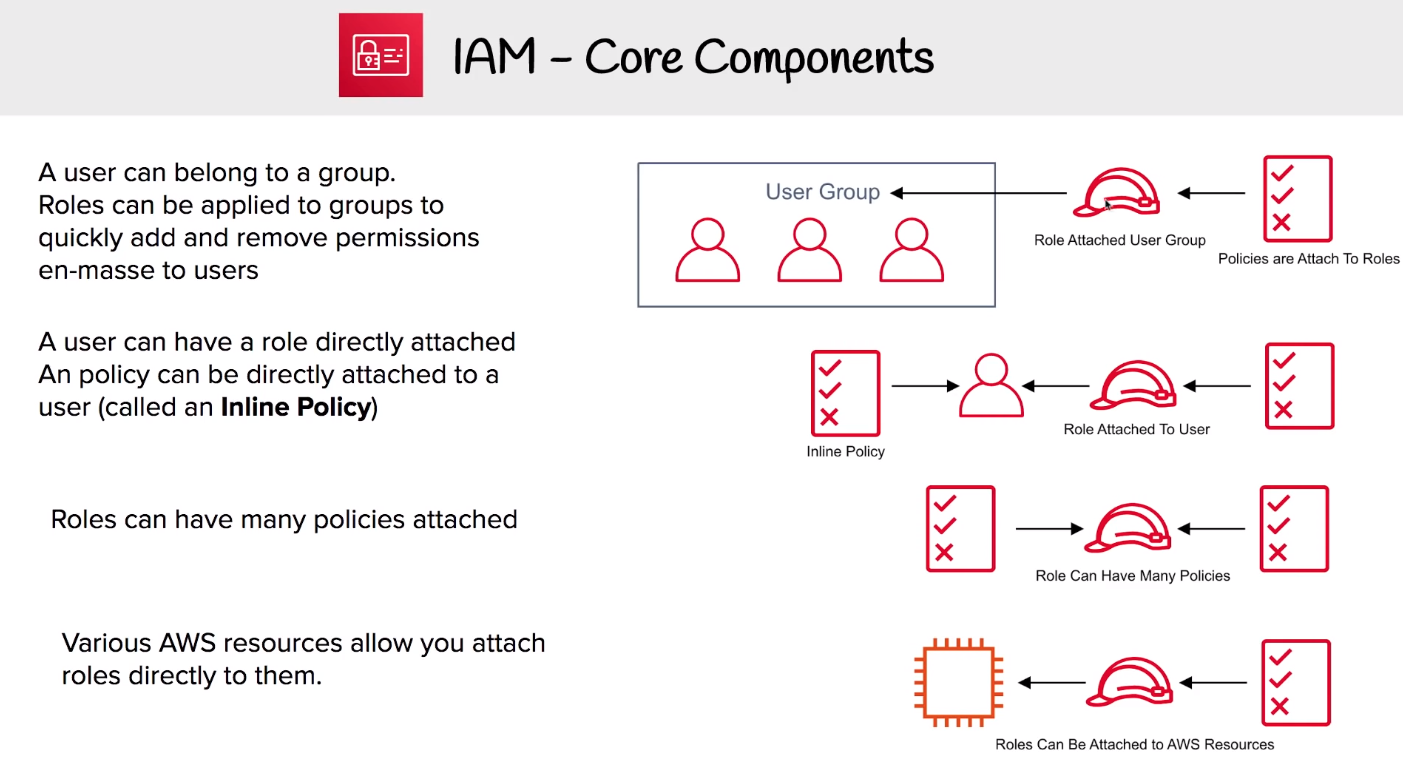
IAM Policies -
IAM Policies
JSON documents granting permissions for a specific user, group, or role to access the services. Policies are attached to IAM Identities.
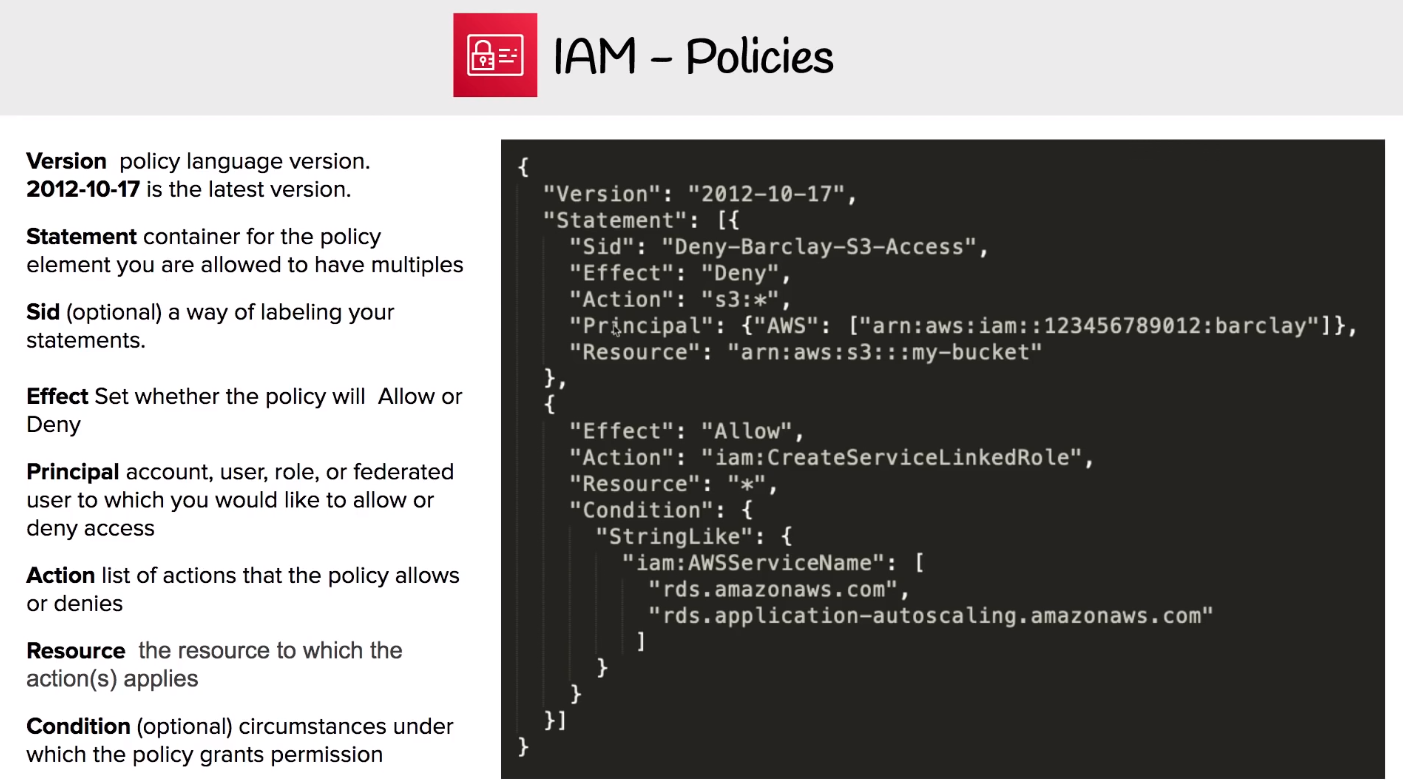
Managed vs Customer vs Inline policies
Managed Policies
default policies defined and given by AWS which is designed to support common use cases. these cannot be edited. These are indicated by an orange box.
Customer Managed Policies
Custom policies created by users which is editable.
Inline Policies
A policy which is directly attached to a user or a resource.
IAM - Password Policy
In IAM you can set a Password Policy to set the minimum requirements of a password and rotate passwords so users have to update their password after X days
IAM - Access Keys
Access keys allow user to interact with AWS services programmatically via the AWS CLI or the SDK
Per user can have 2 access keys.
IAM - MFA
See MFA for general multi-factor authentication concepts.
Can be turned on per user The user has to turn on MFA themselves. Administrator cannot enforce users to have MFA
The Administrator cannot create a policy requiring MFA to access certain resources.